Two-Factor Authentication Explained: SMS, Authenticator Apps, Security Keys and Passkeys
Passwords alone are not enough. Two-factor authentication blocks most account takeovers — but not all methods are equal. Here is how SMS, apps, security keys and passkeys compare.
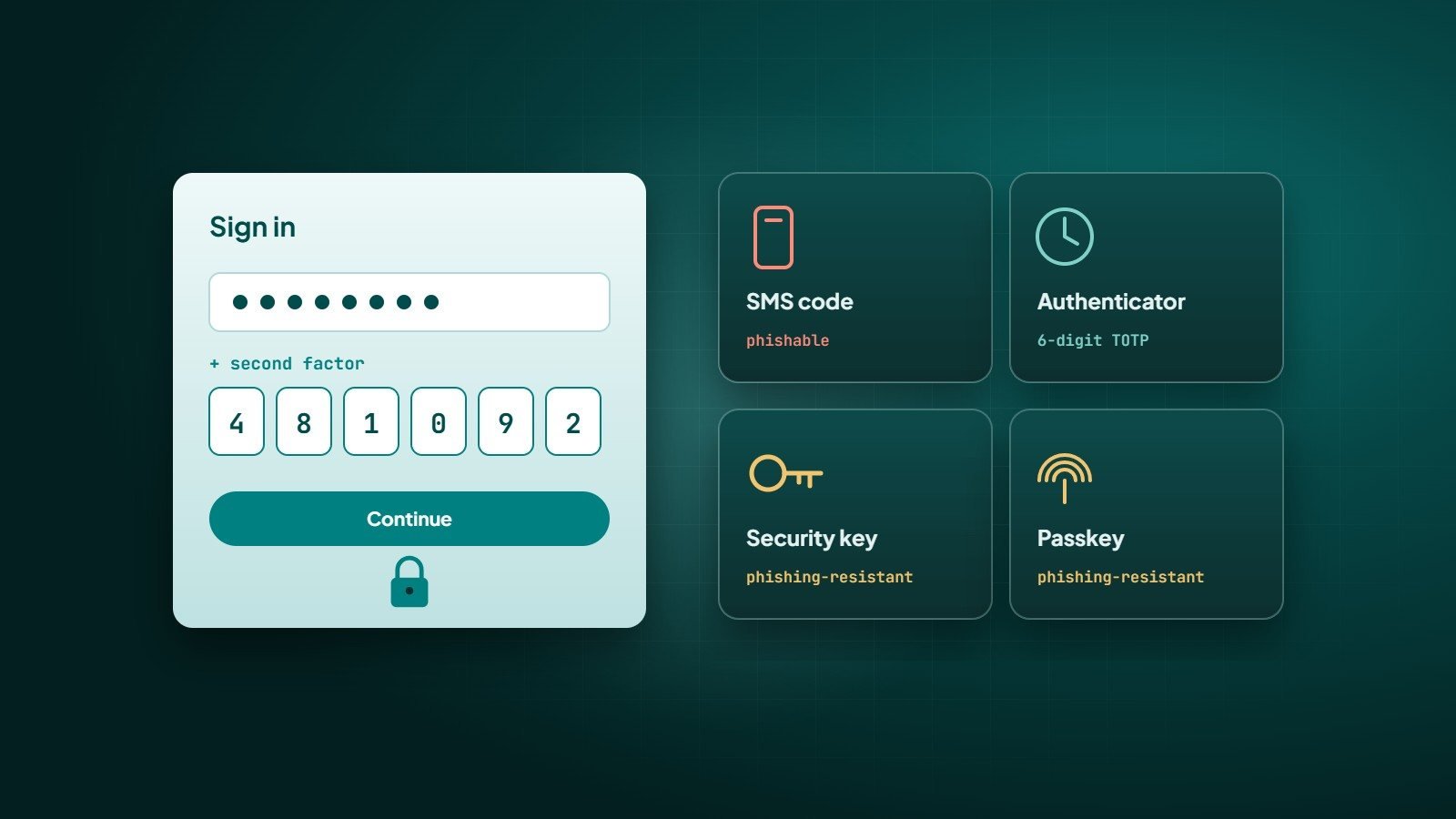
Passwords get reused, guessed, leaked in data breaches and stolen through phishing. Two-factor authentication (2FA) — or more generally multi-factor authentication (MFA) — adds a second proof of identity, so a stolen password alone is not enough to get in.
The three kinds of factors
- Something you know — a password or PIN.
- Something you have — a phone, an authenticator app, a security key.
- Something you are — a fingerprint or face scan, usually used to unlock a device-held key.
True MFA combines factors from different categories. Two passwords are not two factors.
Comparing the methods
| Method | How it works | Strengths | Weaknesses |
|---|---|---|---|
| SMS code | A one-time code is sent by text message | Easy, works on any phone | Vulnerable to SIM swapping and interception; can be phished |
| Authenticator app (TOTP) | An app generates a new 6-digit code every 30 seconds | Works offline; not tied to the phone number | Codes can still be typed into a fake site |
| Push approval | Tap "Approve" in an app | Very convenient | "MFA fatigue" — attackers spam requests hoping for an accidental approval; number matching reduces this |
| Security key (FIDO2) | A physical USB/NFC key confirms the login | Phishing-resistant | Must be carried; buy a backup key |
| Passkey | A cryptographic key stored on your device or password manager, unlocked with fingerprint, face or PIN | Phishing-resistant, no password to steal, fast | Still being adopted; plan recovery carefully |
Why "phishing-resistant" matters
With SMS or app codes, a convincing fake login page can ask for your password and your code, then use both immediately on the real site. Security keys and passkeys are built on the FIDO2 / WebAuthn standards: the key is bound to the real website's domain, so it simply will not work on a lookalike site. That is why security guidance from organisations such as CISA and NIST favours phishing-resistant MFA for high-value accounts.
Any second factor is far better than none. Phishing-resistant factors are better still.
Passkeys in plain language
A passkey replaces the password with a pair of cryptographic keys. The private key stays on your device (or synced in your password manager); the website stores only the public key. When you log in, your device proves it holds the private key — after you unlock it with your fingerprint, face or PIN. There is no shared secret for the website to leak and nothing for you to type into a fake page.
Major platforms — Apple, Google and Microsoft — support passkeys, and many popular services now offer them.
Which accounts to protect first
- Email — it can reset every other password.
- Domain registrar and DNS — control of your domain means control of your website and email.
- Hosting, cloud and code repositories.
- Banking and payment services.
- Social media and advertising accounts.
- Admin panels of your website, store and business tools.
Rolling out MFA in a business
- Enforce MFA centrally where possible (for example in Google Workspace or Microsoft 365) instead of relying on each person.
- Prefer authenticator apps over SMS, and passkeys or security keys for administrators and finance.
- Turn on number matching for push approvals.
- Store recovery codes safely and register more than one factor, so a lost phone does not lock someone out.
- Have a secure, verified process for resetting MFA — attackers target help desks too.
Adding MFA to your own application
If you run a web or mobile application with user accounts, offer TOTP and passkeys, rate-limit login and code attempts, require re-authentication for sensitive actions, and notify users when a new factor is added or a new device signs in.
Key takeaways
- MFA stops most attacks that rely on stolen passwords.
- Authenticator apps beat SMS; passkeys and security keys resist phishing.
- Protect email, domain and admin accounts first.
- Plan recovery so security does not become a lock-out.
How Wintecsys can help
We build secure authentication into websites and applications — including MFA and passkeys — and help businesses secure their email, domain, hosting and admin accounts.
See our security services or talk to us about secure logins.